

Description
Power up your marketing funnels on WordPress with email marketing automation to drive more leads and boost sales effortlessly.
Mail Mint simplifies your email marketing campaigns with an easy-to-use tool that’s clutter-free, self-explanatory, and designed for maximum efficiency.
✅ Manage unlimited leads and subscribers,
✅ Run targeted email campaigns,
✅ Create & send newsletter, and
✅ Craft well-planned email automation flows for your next marketing campaign!
It is specially built for marketers and funnel creators like you.
Easily run email campaigns, automate follow-ups & weekly newsletters, and recover lost sales via cart abandonment.
Actively use email marketing automation without any hassle to increase your conversions.
👉 Documentation | Video Tutorials
👉 Join our Facebook Community
👉 Check Out Our Public Roadmap
👥 Generate Leads 👤 Segment leads 📧 Send Email Campaigns ⚙️ Email Automation Workflows
🛒 Recover Abandoned Carts 🗞️ Weekly Newsletters 🎨 Customize WooCommerce Emails
Why Use Mail Mint?
Email marketing is still one of the most effective ways to drive sales. But to truly succeed, you need quality leads, which can get quite tricky.
Right now, all other solutions need you to use multiple tools to collect leads, run email campaigns, and automate email marketing.
This is where Mail Mint will give you the upper hand for your marketing funnel.
With Mail Mint, you can now plan lead generation and email marketing automation without going back and forth between multiple tools.
-
For starters, the plugin has its lead form builder, which will allow you to collect leads from anywhere on your website.
-
You can then segment your leads and organize them to run targeted email marketing campaigns.
Moreover, it has direct integration with
– WordPress ✅
– WooCommerce (Pro) ✅, and
– Easy Digital Downloads (Pro) ✅
– and several other WordPress plugins.
So, with Mail Mint, you can easily collect and manage your leads, send targeted email campaigns, and trigger email automation workflows, all in one place.
Plus, you may combine Mail Mint with WPFunnels, the easiest funnel builder in WordPress, to plan and craft complete funnel journeys, including funnel pages and email automation flows, on a single visual canvas without losing track.
No more juggling multiple tools!
Together, you’ll be able to run highly effective lead-generation campaigns and sales funnels with strategic email Marketing automation, all within WordPress.
You will achieve more results with less time and effort.
Everything You Need To Make Email Marketing Automation Effortless
Mail Mint is your go-to WordPress email marketing plugin, packed with all the essential features to help you collect leads, run email campaigns, send newsletters, and set up email automation, all without losing focus
💥 Easy Contact Management In WordPress
With Mail Mint, you will get a super clean UI to manage your leads for effective email campaigns, newsletters, and email automation.
✅ Unlimited contacts/leads
✅ Add contacts manually
✅ Bulk upload leads using CSV
✅ Paste contact data
✅ Import WordPress users as contacts
✅ Import WooCommerce customers
✅ Import Easy Digital Downloads customers
✅ Import Existing Mailchimp Contacts
✅ Create tags, lists.
You may also segment your leads (Pro) for targeted email marketing based on their attributes or data such as gender, location, etc.
Additionally, you will get a full 360 contact views to manage contact details and view user interaction history (Pro)!
Learn More about Mail Mint’s Contact Management
💥 Email Marketing Campaigns 💥
Once you have leads, you can craft effective email marketing campaigns to interact with your contacts for nurturing and conversion.
✅ Regular Email Campaigns
✅ Scheduled Email Campaigns
✅ Email Sequences (with automated time delays) (Pro)
✅ Weekly Newsletters
✅ Recurring Campaigns (Daily, Weekly, Monthly)
✅ Post Notification Emails
✅ Product Launch Emails
✅ Follow-up Emails
✅ Event Invitation Emails
✅ Lead Nurturing Emails
✅ Upsell and Cross-sell email campaigns
✅ Post-Purchase Email Campaigns
… and many more.
Whether you are a digital creator, blogger, funnel builder, or WooCommerce store owner, Mail Mint will help you run effective email marketing campaigns for lead nurturing or promotional offers.
You will also get tons of niche-specific email templates to easily create email campaigns, newsletters, email automation workflows, abandoned cart recovery campaigns, etc., in just a few minutes.
Learn More about Mail Mint’s Email Campaigns
💥 Intuitive Drag And Drop Email Builder 💥
You will love the simple yet powerful drag and drop email builder to design your emails in Mail Mint.
✅ Drag and drop blocks with full control over design and layout.
✅ Pre-made email templates to use on the go with minimum tweaks required.
✅ Custom social icons block.
✅ (Pro) Products block to recommend products via email.
✅ (Pro) Posts block to send out recent/specific articles.
✅ Merge tags to include dynamic contact data for personalization.
Watch the visual email builder in action:
However, if you rather want a simple text editor or plain text editor, you have that option as well.
💥 Simplified Email Automation Workflows 💥
One of the best features of Mail Mint is the ability to visually set up automation workflows.
You will be able to automate email marketing and lead management based on several triggers to reduce your efforts while getting more results from your marketing campaigns.
✅ Visual automation workflow builder
✅ Pre-built automation recipes
✅ Automation triggers for WordPress
✅ Automation triggers for WooCommerce (Pro)
✅ Automation workflows based on user activity
✅ 15+ Actions to create the workflow (Free + Pro)
✅ Conditional flows (Pro) based on open rate, link clicks, contact details, segmentation, etc.
… and many more.
Watch Mail Mint’s Automation Workflows in action:
👉Core Mail Mint Automation Triggers
– Form submitted – triggered when a Mail Mint form is submitted.
– Added To/Removed From List (Pro) – triggered when a contact is added/removed from specific lists.
– Tag Assigned/Removed (Pro) – triggered when a contact is added/removed from specific tags.
👉WordPress Email Automation Triggers
– New User Registration
– User Login
– Post Notification (Pro)
👉WooCommerce Automation Triggers (Pro)
– First Order In Store
– 5 Triggers Based on Orders – new orders, orders completed, changes in order status, and failed orders.
– Product Review Received
– Customer Win Back – automation to reach out to customers with no orders for a while.
– Price Dropped – triggered when you reduce prices of selected products.
👉Other Integrated Automation Triggers
You will also be able to use email marketing automation for several other plugins that Mail Mint integrates with, including:
– Easy Digital Downloads
– Gravity Form
– Jet Form Builder
– Fluent Forms
– Contact Form 7
– Elementor Form
– LearnDash
– MemberPress
– Tutor LMS
– Pabbly Connect
Once you decide on your triggers, you can then create your automation workflow using the necessary actions:
Necessary actions to create your Workflow
- Send An Email
- Set Time Delay
- Create Contact
- Assign Tag(s)
- Add To List(s)
- Remove Tag(s) (Pro)
- Remove From List(s) (Pro)
- Send Email Sequence (Pro)
- Stop Automation (Pro)
- Outgoing Webhook (Pro)
- Create Automated Coupon (Pro)
- Delete Coupon (Pro)
- If/Else for conditions (Pro)
Whether it’s creating the onboarding process, running drip campaigns, or organizing email automation flows to manage leads, Mail Mint simplifies it all.
Learn More about Mail Mint’s Email Automation Workflows
💥 Custom Lead Forms To Capture Emails 💥
Mail Mint has its own lead form builder to let you collect targeted leads from anywhere on your website. You can then plan effective segmentation and send out targeted email campaigns or newsletters to boost engagement and conversions.
✅ Visual Form Builder (using Gutenberg)
✅ Tons Of Lead Form Templates
✅ Embedded Form
✅ Pop-up & Fly Ins
✅ Notification Bars
✅ Full Design Control
✅ Appearance Time Delay
✅ Attractive Animation
This is very convenient if you are collecting leads as a digital creator or maybe an affiliate marketer looking to create an email list to promote more products later.
Watch how Mail Mint’s Lead Form Builder Works:
💥 Integrated With WPFunnels For Free Lead Generation 💥
Mail Mint and WPFunnels work together to let you create lead generation funnels easily!
Take a look at how Darrel Wilson created a free lead generation funnel using WPFunnels and Mail Mint:
Plus, you can directly use Mail Mint forms on your funnel landing page through your WPFunnels opt-in widget.
Learn how to create a free lead generation funnel in WordPress. (Link to a page with the YT video)
**💥 Integrated With WPFunnels For Marketing Funnel Automation [Pro] 💥**
Probably the most unique feature you will see today is a direct integration between WPFunnels and Mail Mint.
Basically, you will be able to set up email automation workflows for your funnels based on user actions in different stages of your funnel journey!
You create a funnel in WPFunnels and then define conditions in the same funnel building platform to run email automation workflows – no need to go back and forth between the two plugins!
This is a feature that has never existed in WordPress until now!
As a funnel creator, this will make your job smoother and more efficient, allowing you to focus on growing your business with powerful funnels and automated emails.
Use Mail Mint to create email marketing automation for your
✅ Lead generation funnels,
✅ Launch funnels,
✅ Sales funnels,
✅ Affiliate funnels,
✅ Funnel cart abandonment recovery,
or any other funnel of your choice.
💥 WooCommerce Abandoned Cart Recovery [Pro] 💥
Apart from all the core features, Mail Mint is also a powerful plugin for WooCommerce cart abandonment recovery to help you win back lost sales on autopilot.
✅ Automatic abandoned cart tracking
✅ Recorded cart details for abandoned customers
✅ Automation recipe for abandoned carts
✅ Trigger automation based on events such as abandoned carts, carts lost, and carts recovered
✅ Exclusive cart block in email builder to display abandoned products
✅ Auto-coupons to make recovery campaigns more successful
Learn more about Abandoned Cart Recovery Automation
💥 Recurring Email Campaign [Pro] 💥
If you are a digital creator, then one of the most important features you will need is recurring email campaigns or newsletter automation.
Since you collect leads on a regular basis, it is important to keep them nurtured and engaged through regular emails.
With Mail Mint, you can set up automatic recurring email campaigns to be sent every week, month, or specific days of the week.
In such emails, you can display your latest posts, offer courses, send newsletters, or simply send monthly digests to your subscribers automatically.
So, besides being a great email marketing tool, Mail Mint is also a reliable WordPress newsletter plugin.
💥 Detailed Email Analytics 💥
For every activity you have within Mail Mint, you will get real-time analytics so that you can make data-driven decisions and optimize your email campaigns.
This will include:
– Leads Growth Rate
– Email Open Rate
– Click Rate
– Bounce Rate
– Unsubscribe Rate
– Form Entries
– Performance over time
– Individual lead engagement
You will get more insight to fine-tune your strategy.
💥 ChatGPT Integration For AI Email Writing [Pro] 💥
You can easily connect ChatGPT to Mail Mint and use AI directly to craft highly effective emails when preparing your campaigns
Whether you need subject lines, preview texts, or the entire email copy, just give simple instructions, and ChatGPT will generate everything you need—right from your Mail Mint window!
Learn more about AI Email Writing in Mail Mint
💥 Customize WooCommerce Transactional Emails 💥
You may easily customize your default WooCommerce Transactional Emails in Mail Mint to avoid sending the dull emails that WooCommerce sends by default for order confirmation, receipts, etc.
Make them more engaging and brand-optimized, all from within Mail Mint!
✅ Text Editor to customize WooCommerce emails
✅ Drag and drop Email Builder to customize WooCommerce emails (Pro)
All Mail Mint Features For Email Marketers
- Unlimited leads or contacts
- Add contacts manually
- Bulk import contacts (CSV, paste data)
- Import WordPress users as contacts
- Import WooCommerce customers as contacts
- Subscription checkbox during comments, registration, and WooCommerce checkout
- Unlimited Lists and Tags
- Dynamic Segmentation (Pro)
- Contact Profile
- Custom Contact Fields (Pro)
- 360 Contact Analytics (Pro)
- Double Opt-in Email Confirmation
- Regular Email Campaigns
- Email Sequences (Pro)
- Pre-made Email Templates
- Recurring Email Campaigns / Newsletter Automation (Pro)
- Campaign Analytics
- Individual Email Engagement Analytics (Pro)
- Drag and drop Email Builder
- Post Block In Emails (Pro)
- WooCommerce Product Block In Emails (Pro)
- Email layout Customization
- Text Editor Mode For Email
- Lead Capture Form (Regular, Pop-up, Fly-in, Notification Bar, On-click Pop-up)
- Pre-built Lead Capture Form Templates
- Form Visibility & Delay Control
- Admin Notification
- reCAPTCHA Support
- Visual Automation Workflow Builder
- Abandoned Cart Recovery (Cart Tracking, Automated Email Follow Ups, Reports & Analytics) (Pro)
- Automation Trigger On Form Submission
- Automation Trigger On Lists or Tags Assigned/Removed (Pro)
- WordPress Login & Registration Triggers
- Post Notification Triggers (Pro)
- 4+ WooCommerce Order Related Triggers (Pro)
- Automation Triggers for 4+ Form Builders (Pro)
- Automation Triggers for 3+ LMS Tools (Pro)
- 8+ Actions After Trigger (Send Email, Assign Tags/Lists, Time Delay, etc.)
- Conditional Automation Journey (Pro)
- Pabbly Connect Integration (Pro)
- GDPR Compliance Features (Anonymization Of IP, Email Preference Link, Unsubscribe Link, Privacy Checkbox in Forms)
- Lead Magnets Management (Pro)
- Link Triggers (Pro)
- Integration with WPFunnels Opt-in Form
- Email Automation on WPFunnels Visual Canvas (Pro)
Join Our Facebook Community
JOIN OUR FACEBOOK USERS COMMUNITY: Discuss and learn how others are using WPFunnels and Mail Mint. Find out how and how you can effectively create complete funnel journeys for your WordPress or WooCommerce shop. Plus, stay up-to-date with our exciting upcoming features.
Privacy Policy
If you explicitly opt in to usage tracking, we collect specific telemetry data via PostHog to improve plugin performance and troubleshoot issues.
What Data is Collected?
No data is collected by default. If you provide consent, the following information is gathered:
* System Environment: WordPress version, PHP version, and active theme/plugin names.
* Plugin Details: Mail Mint version and non-sensitive configuration settings.
* Usage Patterns: Feature usage and in-plugin page views.
* Contact Info: Site administrator email address.
How to Request Data Removal
You can revoke your consent at any time. If you would like your previously collected data to be deleted from our systems, please contact us at:
Email: support@getwpfunnels.com
Screenshots
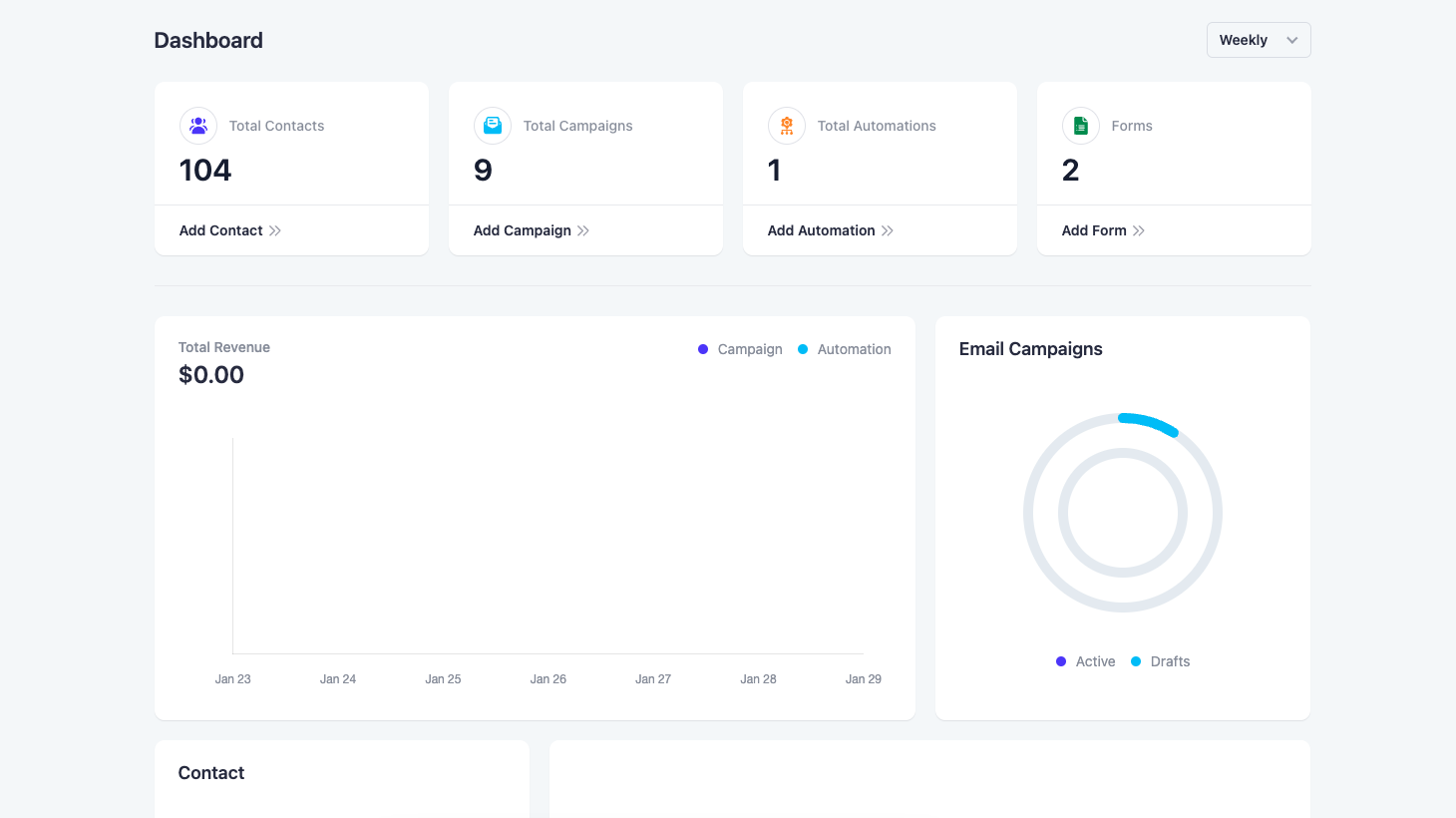
Mail Mint Dashboard for Email Marketing Automation 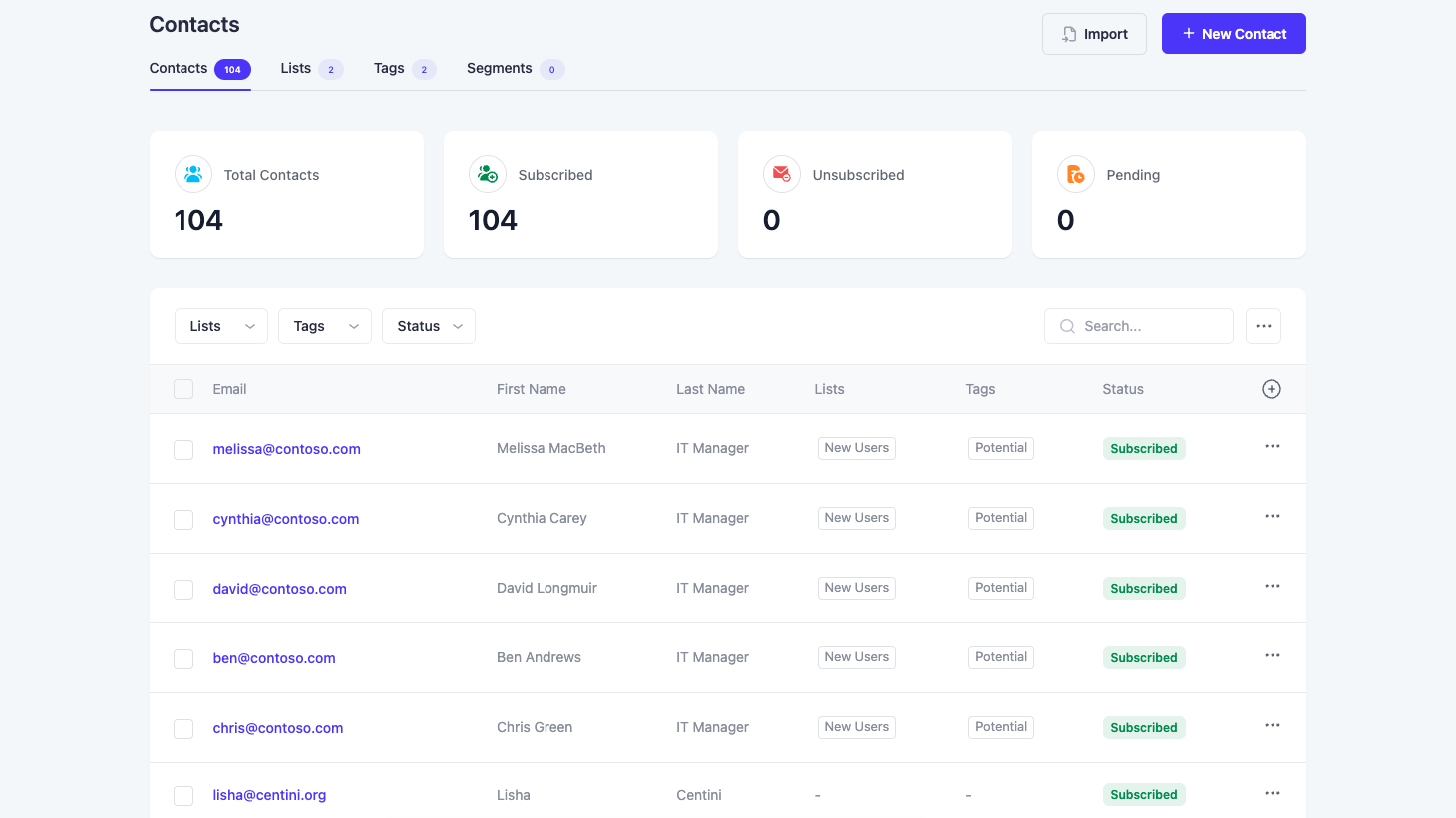
Mail Mint Contacts – Manage User List 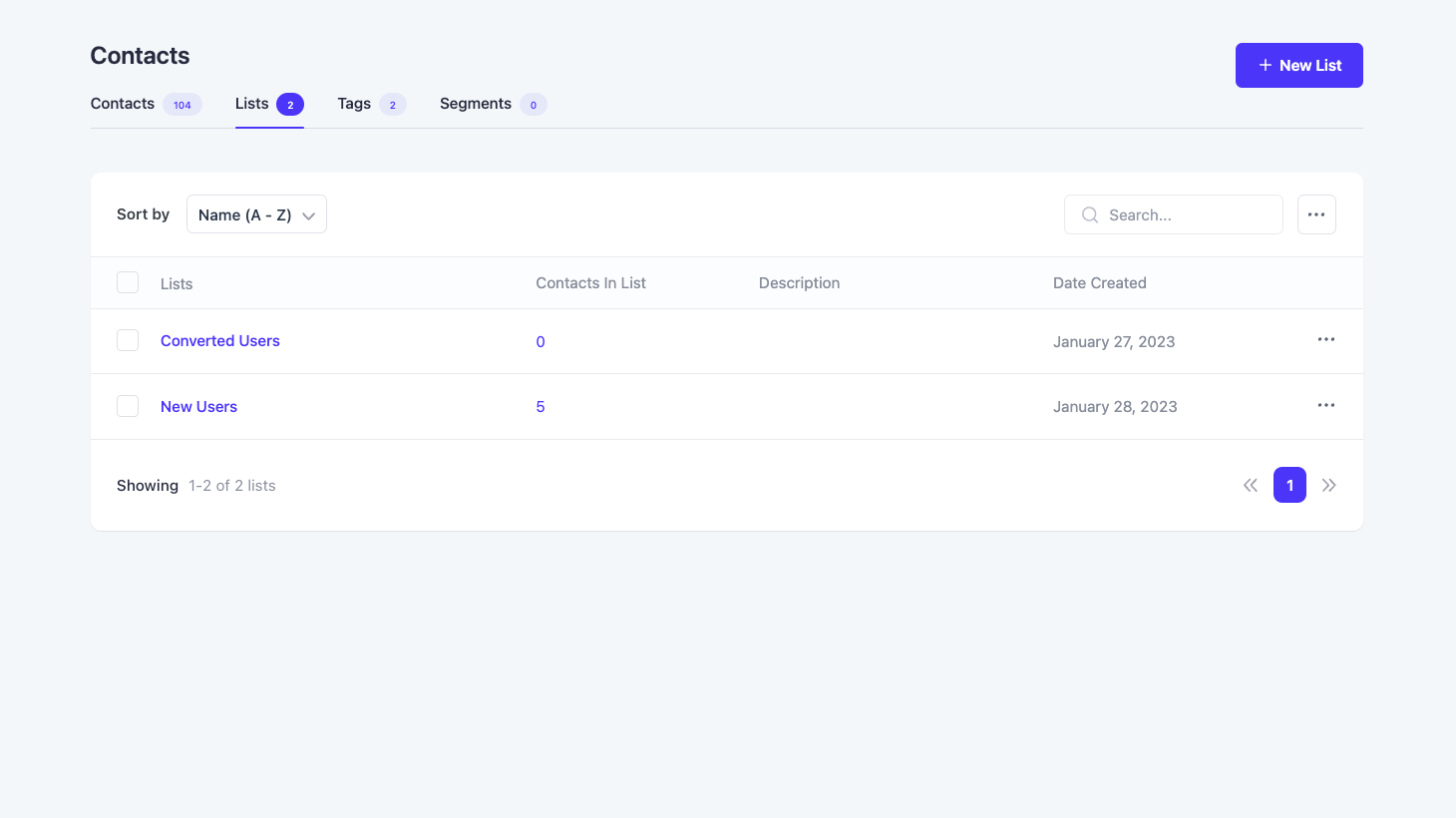
Organize Users by List 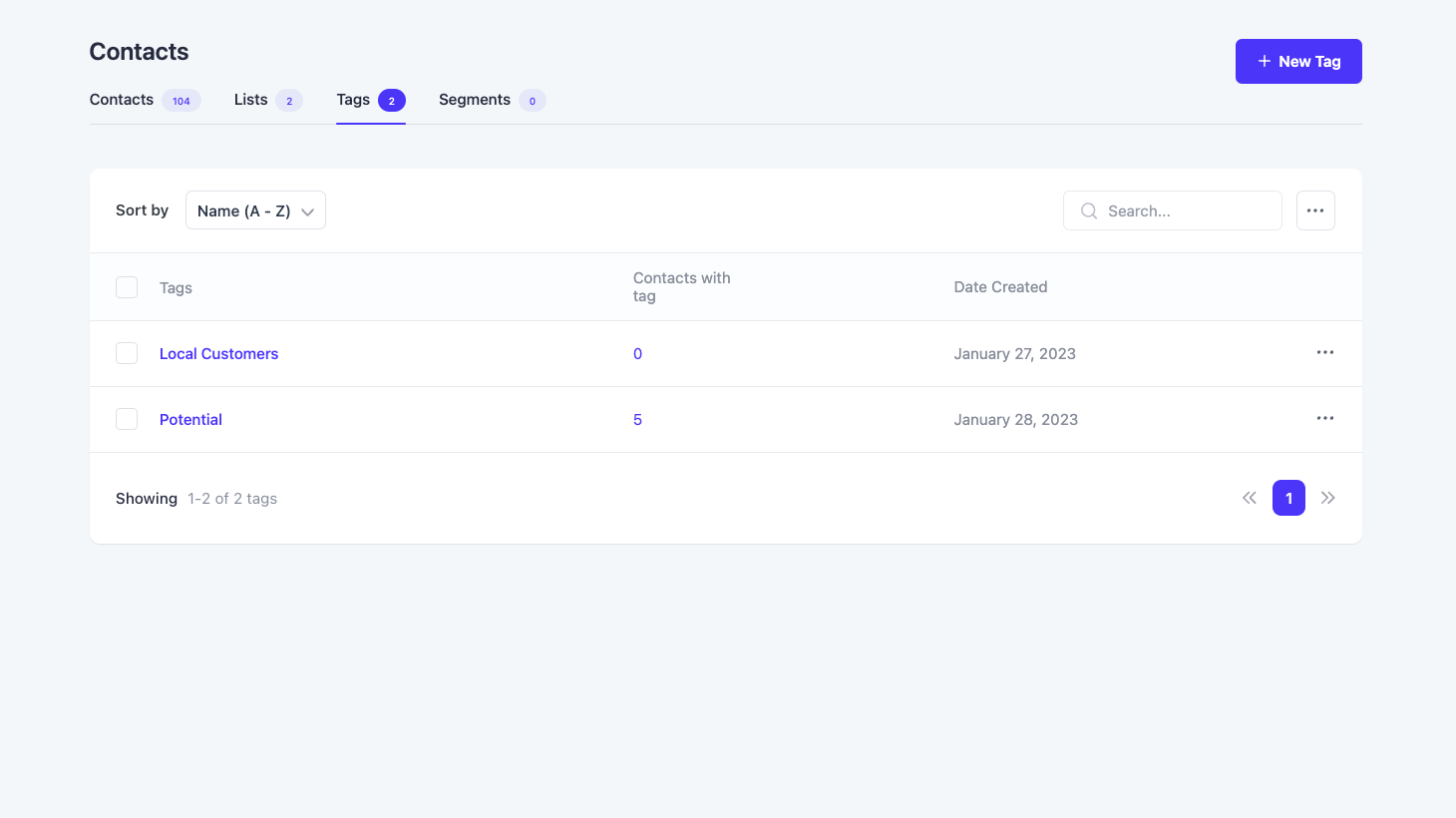
Assign Specific Tags to Users 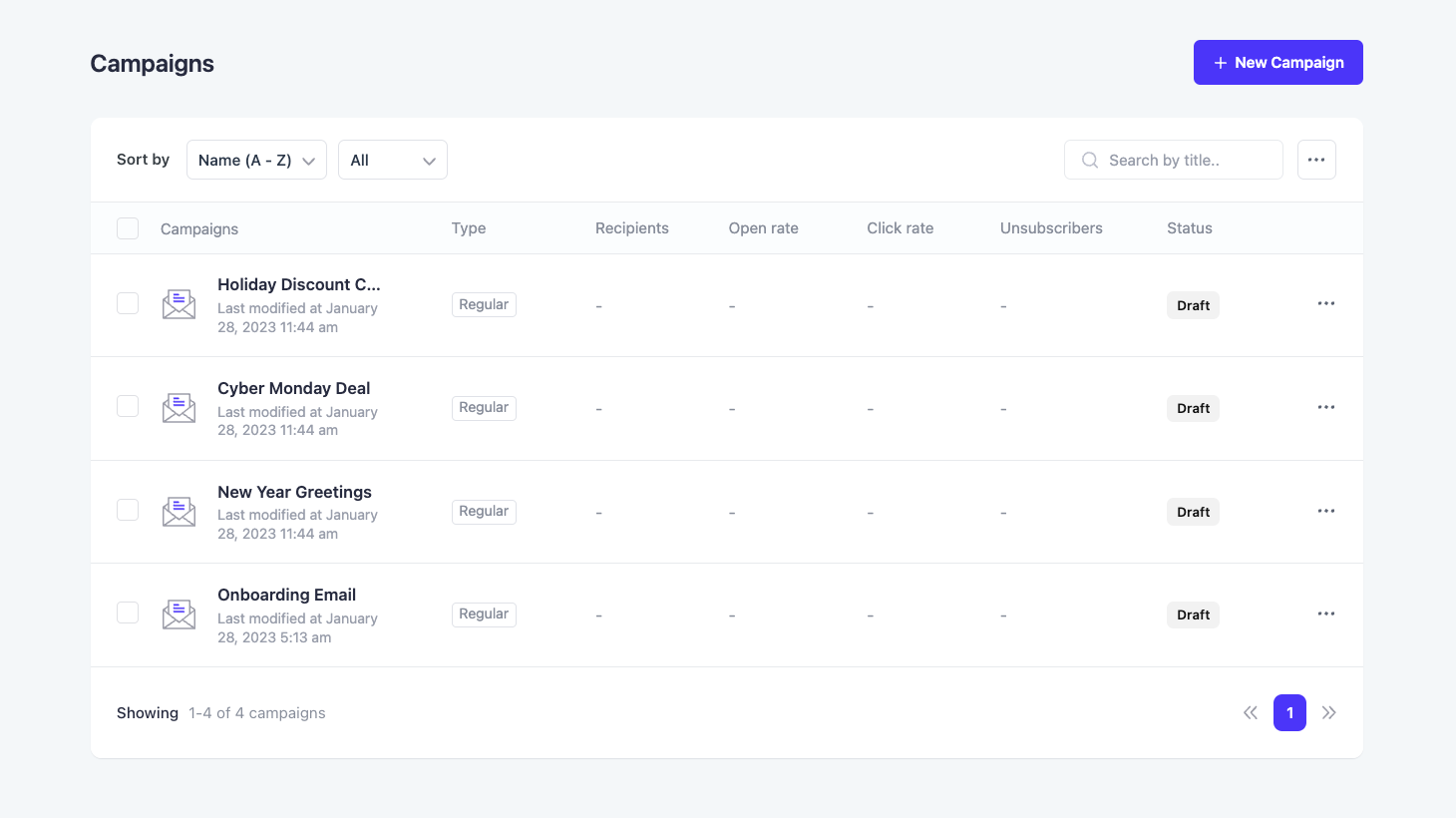
Email Campaigns for Automation 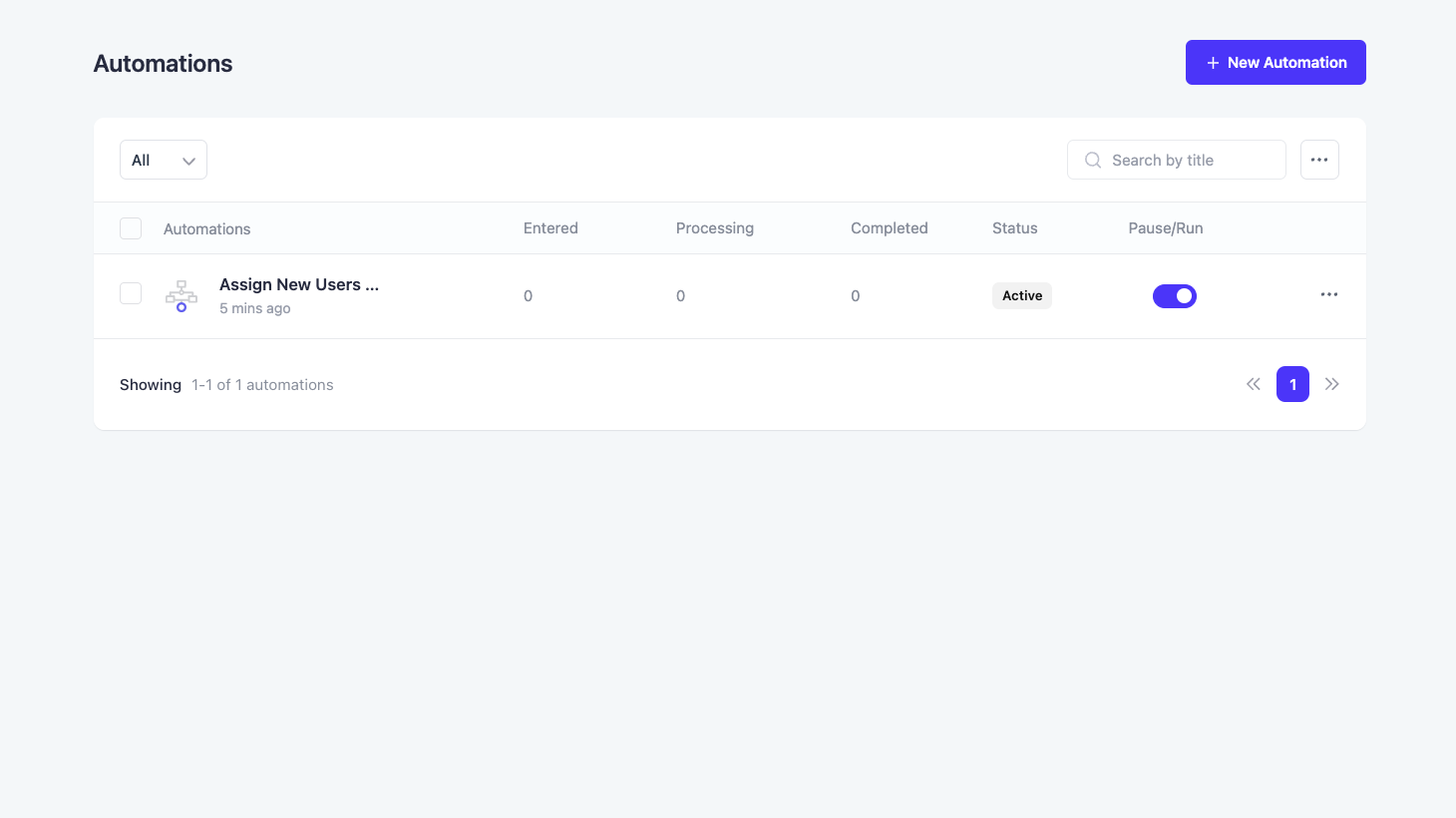
Automated Workflow for Email Marketing 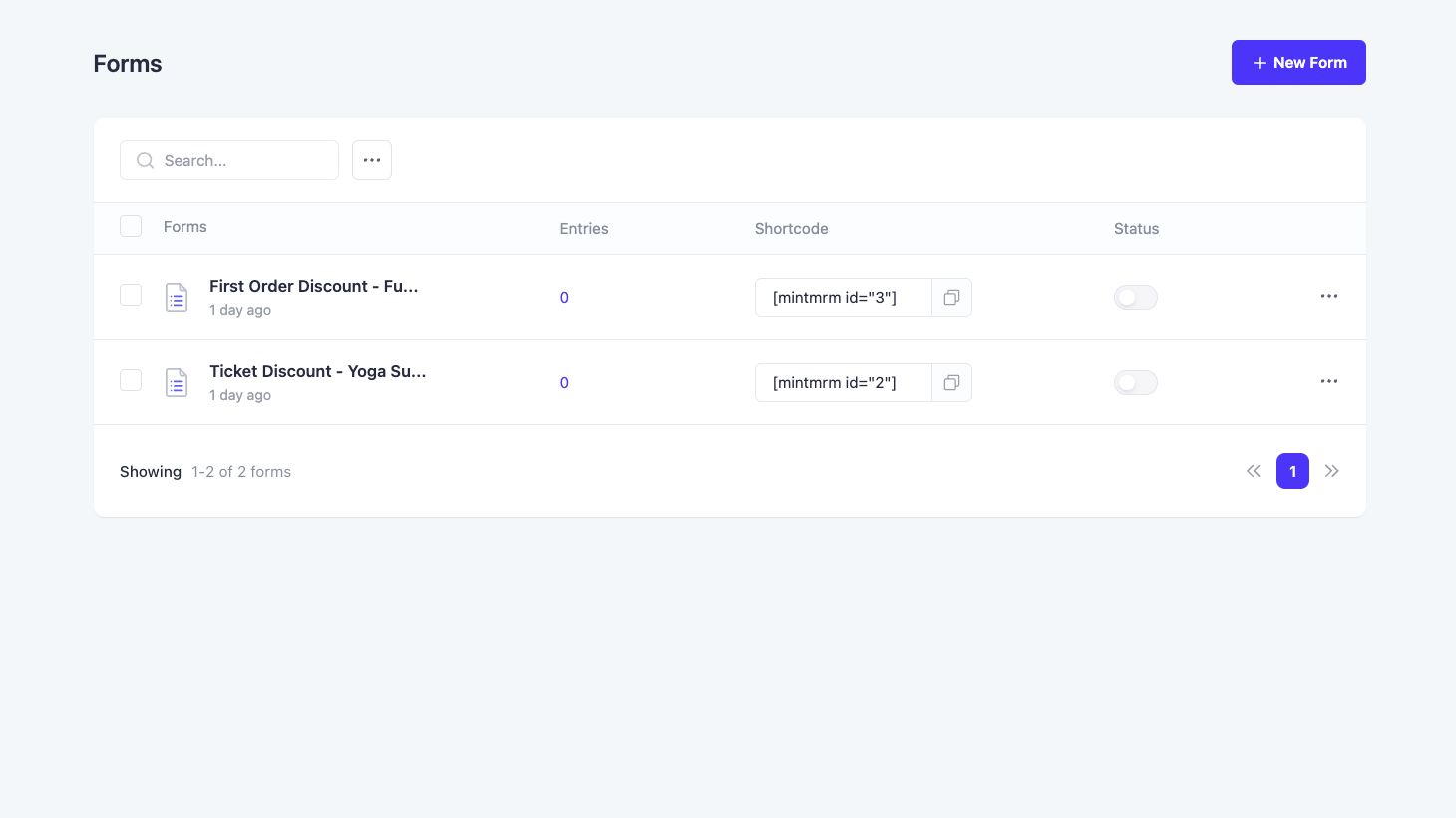
Lead Generation Forms – Mail Mint 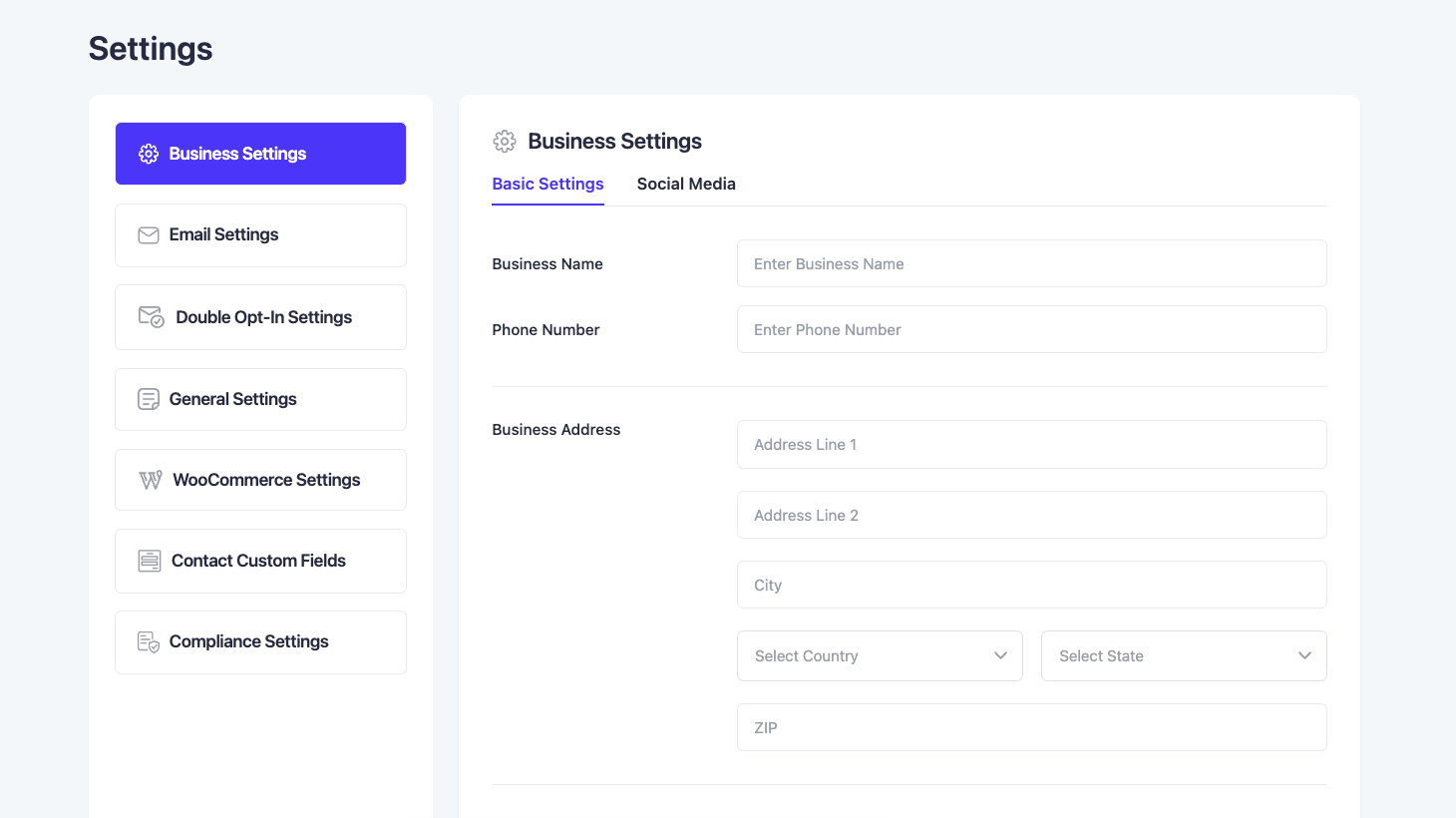
Mail Mint Business Settings 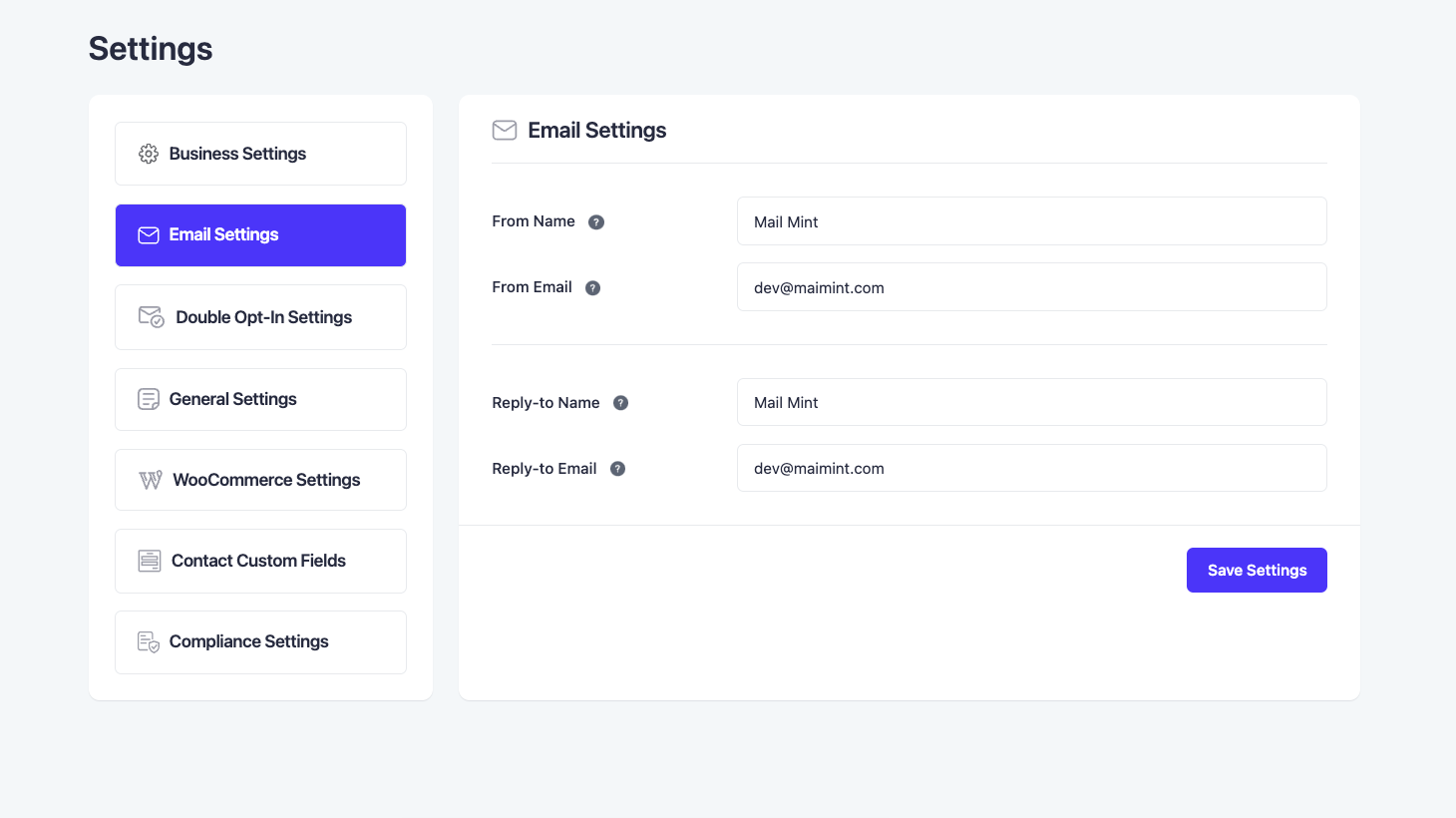
Email Settings for Automation 
Visual Automation Workflow
Blocks
This plugin provides 1 block.
- Mint Form
Installation
- Upload the Mail Mint to the
/wp-content/plugins/directory - Activate the plugin through the ‘Plugins’ menu in WordPress
- Follow the setup wizard to configure the plugin for use
FAQ
-
1. Why use Mail Mint?
-
The main reason to use Mail Mint is to be able to combine email marketing automation to your marketing funnels in a clutter-free UI and increase your conversions.
Each feature of Mail Mint is carefully designed so that you do not lose focus when carrying out your email marketing campaigns.
i. It’s super easy to add and manage your contacts list and manage them with proper segments.
ii. You may create a custom form within Mail Mint to collect data from prospects without relying on other form builders. The best part, it is not just a simple opt-in form. You may add custom fields, decide on the form type (basic, pop-up, fly-in, etc), and control the design of your form.
iii. The plugin comes with an advanced email builder where you may design your email body using drag-and-drop blocks and full control over the design.
iv. You may run regular email marketing campaigns or email sequences with strategic intervals in a simplified UI.
v. Creating automation workflows is no longer a complicated task. You may set up triggers and define the automation journey on a user-friendly canvas without spending hours going through the plugin documentation.
-
2. What are the core features of Mail Mint?
-
Mail Mint comes with everything you need to optimize your next marketing funnel with email automation.
– Easy Contact Management
– Advanced Email Builder
– Strategic Email Sequences
– Simplified Automation Flows
– Real-time Analytics
– Dynamic Segmentation
– Stunning Email Templates
– WooCommerce Integration (Pro)
– Easy Digital Downloads Integration (Pro)
– Custom Lead Form
– Gravity Forms Integration (Pro)
– JetForms Integration (Pro)
– Elementor Forms Integration (Pro)
– WPFunnels Integration (Pro)
– TutorLMS Integration
– Webhooks -
3. How is Mail Mint unique?
-
Mail Mint follows the goal of making it easy for funnel creators to use email marketing automation without any complications.
The whole plugin UI is built to ensure you do not lose focus when carrying out any activity, such as managing leads, preparing email marketing campaigns, or setting up automation workflows.
Plus, it has a special integration with WPFunnels where you can plan the funnel pages and automation flows in a single visual canvas.
-
4. How does Mail Mint compare to other similar solutions?
-
Mail Mint has every feature you need to collect and manage leads, run email campaigns, and set up automation flows.
When comparing it to other tools, we respect all the great tools out there. However, when using Mail Mint, you will notice that it eliminates the cluttered nature, which most email marketing and automation tools have, and doesn’t require much documentation to be able to use the tool right from the start.
The main focus here is the ease of use. Of course, you will find similar features in most email marketing automation tools. But what Mail Mint does is, make the whole process clearer and more concise.
Its visual integration with WPFunnels is a feature that never existed till now. The ability to plan and launch a functional funnel journey, along with email automation flows, on the same visual canvas is something you won’t find in any other tool (whether in or out of the WordPress ecosystem).
So besides making it super easy for funnel creators, Mail Mint is creating a new era for crafting funnels in general.
-
5. How many contacts can I store?
-
There is no limit. You may store as many contacts as you want.
-
6. How can I import my existing contacts list?
-
You may import your contacts manually (one by one), or you may use a CSV file to bulk upload your contacts. You may also paste raw data in the right format to import contacts.
To import WordPress users and WooCommerce customers, you will find a 3-click option to import the users and customers into the Mail Mint contacts list.
You can also migrate your MailChimp Contacts to Mail Mint within just a few clicks.
-
7. How many email marketing campaigns can I run?
-
You may run as many email marketing campaigns as you want. There’s no limitation to this.
-
8. How are the emails sent?
-
Mail Mint will use the default SMTP that you have set up for your WordPress site to send emails. We do not provide delivery service of our own.
-
9. Is Mail Mint GDPR compliant?
-
Yes, you will get all the necessary features to meet GDPR compliances, such as double opt-in email, email preference, unsubscribe link, anonymizing IP, and the option to request the removal of data.
-
10. Where are the contacts stored? Is it self-hosted?
-
All contacts are stored in your WordPress database, i.e., yes, it is 100% self-hosted. We do not have access to your contacts and contact details.
-
11. How can I use Mail Mint with WooCommerce?
-
You may import WooCommerce customers as contacts in just a few clicks.
Then you may set up email automation workflows based on triggers in your WooCommerce store such as order placed, the order failed, target status changed, first order placed, etc.
-
11. Does Mail Mint Have an Abandoned Cart Recovery Feature?
-
Yes! Mail Mint has its own WooCommerce Abandoned Cart Recovery feature that will let you bring back customers who left their cart and didn’t complete their purchase.
Then you may set up email automation workflows based on triggers such as Cart Abandoned, Cart Lost, or Cart Recovered. You’ll also get advanced analytics for this.
-
13. How do I collect leads?
-
Mail Mint has its own form builder, which you may use to design custom forms and use anywhere on your website to collect leads.
There are also pre-built email templates that will let you use forms easily without any extra effort.
-
14. How can I customize my emails?
-
You may import our beautiful email templates or create one from scratch.
You will have access to our advanced email builder which will help you design your email body easily using drag-and-drop blocks.Plus, you will have full control over the design and typography of your emails.
-
15. Can I use dynamic, personalized contact details in my email?
-
Yes, you may use any customer’s data as placeholders or merge tags in your email body (such as name, company name, custom fields, etc.) to make it more personalized.
-
16. Do you have integration with any form builder?
-
Right now, we have integration with Gravity Forms, Fluent Forms, Elementor Form, and JetFormBuilder. And we are planning to integrate with many more form builders soon.
-
16. Can I Use AI to Prepare My Email Copies?
-
Of Course! We have ChatGPT – OpenAI integration that lets you create unique email copies for your business.
-
18. How can I report security bugs?
-
You can report security bugs through the Patchstack Vulnerability Disclosure Program. The Patchstack team helps validate, triage, and handle any security vulnerabilities. Report a security vulnerability.
Reviews


Contributors & Developers
“Mail Mint – Email Marketing, Newsletter, Email Automation & WooCommerce Emails” is open source software. The following people have contributed to this plugin.
Contributors


“Mail Mint – Email Marketing, Newsletter, Email Automation & WooCommerce Emails” has been translated into 3 locales. Thank you to the translators for their contributions.
Interested in development?
Browse the code, check out the SVN repository, or subscribe to the development log by RSS.
Changelog
1.21.2 (2026-04-23)
- New: Subscriber Win-Back Automation Trigger for Re-engagement Campaigns (Pro)
- New: Contact Segmentation Based on Email Activities and Engagements (Pro)
- New: Automation Trigger When a Contact Opens an Email (Pro)
- New: WPFunnels Activity Timeline on the Contact Profile (Pro)
- Enhance: OR Logic Support on the Automation Conditional Node (Pro)
- Enhance: Email Engagement Conditions on the Automation Conditional Node (Pro)
- Enhance: Improve Query Performance on WooCommerce Customer Import
- Bugfix: Automation Import Issue from Pre-built Templates
- Bugfix: Email Templates Creation Issue
1.21.1 (2026-04-21)
- Bugfix: reCAPTCHA Secret Key Issue
- Bugfix: Email Builder throughs PHP Error
1.21.0 (2026-04-13)
- New: Add Webhook Support for Mail Mint Forms
- New: Introduced Form Entries Tracking and Management
- Bugfix: Resolved Nonce Verification Failure during Form Submission
1.20.1 (2026-04-07)
- Bugfix: Cross-Site Request Forgery to Stored Cross-Site Scripting
1.20.0 (2026-03-16)
- New: Introduce Campaign Pause and Resume Feature
- New: Add Exit Intent Form Type
- Improvement: Campaign Performance on Email Scheduling and Sending
- Improvement: Add Customizable Title Display Options to Post Block
- Compatibility: Compatible with the Latest WordPress
- Bugfix: Contact Delete Issue on WP User Removal
- Bugfix: Several Vulnerability Issues
1.19.5 (2026-02-10)
- Compatibility: Compatible with the Latest WordPress
- Bugfix: REST API Vulnerability Issue
1.19.4 (2026-02-06)
- New: Contact Created Trigger on the Automation
- New: Funnel Created Trigger on the Automation
- Bugfix: UTM Parameters Break After Mail Mint Click-Tracking Redirect
1.19.3 (2026-01-29)
- Bugfix: Cross-Site Request Forgery to Stored Cross-Site Scripting
- Bugfix: SQL Injection via Multiple API Endpoints
1.19.2 (2026-01-15)
- New: Enable Single & Multiple Entry Points in Automation
- Bugfix: Multiple Emails Send from Automation
1.19.1 (2025-12-19)
- New: Option to Delete Expired Coupons
- Bugfix: TypeError in ProductBlock Component when Slicing non-array Products
- Bugfix: Automated Coupon Code doesn’t Generate Expiry Date for Fixed Date Option
- Bugfix: Sort By Filter doesn’t Working on the Contacts Module
- Bugfix: Proper Initialization of State Variables from LocalStorage and API responses
1.19.0 (2025-12-11)
- New: Introduce Analytics on the Automation
- Compatibility: Compatible with the Latest WordPress
- Improvement: The Memory and Time Limit Check on the Background Process
- Bugfix: Post Title Issue from the Post Block
- Bugfix: Sequence Campaign Page Loading Issue
- Bugfix: Redirection doesn’t Work on Form Submission
1.18.13 (2025-11-26)
- Compatibility: Compatible with WP Rocket on Background Process
- Bugfix: Campaign Analytics – Activity Tab Shows Empty Screen
- Bugfix: Text Block Delete Issue on the Visual Builder
1.18.12 (2025-11-20)
- Bugfix: Infinite Loop Triggered by Memory Exceeded on Campaign Scheduling
- Bugfix: Reduce Payload Size for Automation Create/Update API to Prevent 403 Errors
- Bugfix: Start from Scratch Issue on the Campaign and Automation
- Bugfix: Contact Import Field Mapping UX Issue
- Bugfix: Campaign Duplication Issue on the Free Version
1.18.11 (2025-11-04)
- Bugfix: Arbitrary File Upload Vulnerability
1.18.10 (2025-10-17)
- New: Campaign Progress Track on Campaign Details
- Bugfix: Campaign Analytics Issues
- Bugfix: Country Search Issue on Business Settings
- Bugfix: List or Tag Assigning Issues
1.18.9 (2025-10-10)
- Bugfix: Duplicate Emails Issue on the Campaign Scheduling
1.18.8 (2025-09-19)
- Bugfix: Compatibility Issue with WPFunnels
- Bugfix: Fatal error for DateTimeZone
- Bugfix: Delay Calculation and Log Cleanup Issues in Mail Mint Automation
1.18.7 (2025-09-12)
- Improvement: Opt-in Confirmation Page Customization Option
- Improvement: Bulk Contacts Verification through ZeroBounce
- Bugfix: SQL Security Vulnerability on Contact Import
- Bugfix: Contact Information Update Issues on Multiple Forms Integration
1.18.6 (2025-08-30)
- Bugfix: SQL Security Vulnerability and Performance Issues
- Bugfix: Role Permission Issue on Form Module
- Bugfix: Form Settings Tab UX Issue
1.18.5 (2025-08-27)
- Improvement: Background Processing for the Campaigns
- Bugfix: Visual Editor not Opening on the Safari Browser
1.18.4 (2025-08-05)
- Bugfix: Abandoned Cart Email Template Import Issue
- Bugfix: Contact Status Update Issue
1.18.3 (2025-07-21)
- Improvement: Added Gravatar & Fallback Compliance for Contact Avatar
- Improvement: Smoother One-click Unsubscribe
- Bugfix: PHP Deprecation Warnings
- Bugfix: Multi-line Text Custom Field Issue
- Bugfix: Tooltip and Header UI Issues on the Automation Settings
1.18.2 (2025-07-10)
- New: Attach Files on the Form Settings
- Bugfix: Personalization Shortcodes for WP User Not Working
1.18.1 (2025-07-03)
- Improvement: Tutorials Videos for the Free Users
- Bugfix: PHP Warning on the Form Module
- Bugfix: UX Issues on the Form Module
- Bugfix: UX Responsiveness Issues on the Dashboard
1.18.0 (2025-06-26)
- New: Onboarding Checklist on the Dashboard
- Improvement: UX Improvement on the Dashboard
- Improvement: Background Processing for the Campaigns
- Bugfix: Existing Custom Fields Mapping Issues on the Form Builder
- Bugfix: Custom Fields Issues on the Automation Logical Step
- Bugfix : UX Issues on the Abandoned Cart Settings
1.17.12 (2025-06-04)
- Improvement: Support Custom Fields in “Update Contact Fields” Action
- Improvement: Add “Contact Re-entry After Exit” Option on Form Submission Trigger
1.17.11 (2025-05-28)
- Improvement: Performance Optimization for Campaigns Lists
1.17.10 (2025-05-26)
- Improvement: Add Option to Set Expiry Duration in Days for ‘Create Coupon’ Action
- Bugfix: UI Issues on the Campaign Analytics
- Bugfix: UI Issues on the Automation
1.17.9 (2025-05-08)
- Improvement: Add Community Banner on the dashboard
- Improvement: Performance & Security Vulnerability
1.17.8 (2025-04-28)
- Improvement: Fixed Sensitive Data Exposure Security Vulnerability
- Bugfix: Database Update Admin Notice Issue
1.17.7 (2025-04-25)
- Compatibility: Compatible with the Latest WordPress
- Bugfix: Background Image Settings from Column Block in Visual Editor
- Bugfix: UI Issues on the Automation Settings
- Bugfix: Function _load_textdomain_just_in_time was called incorrectly
1.17.6 (2025-04-09)
- Improvement: Enable Translation Support for Custom Blocks in Visual Editor
- Improvement: Add Contact UX on the Dashboard
- Bugfix: Automation Steps Not Saving When Importing from Automation Recipe
- Bugfix: Email Templates Always Export Visual Editor Template
1.17.5 (2025-03-27)
- Bugfix: RTL Email Content Rendering Issue
1.17.4 (2025-03-19)
- New: Introduced ‘Subscription Renewal Payment Failed’ Automation Trigger
- Bugfix: JetFormBuilder Fields Mapping Issues
- Bugfix: WooCommerce Subscriptions Merge Tags Issues
1.17.3 (2025-03-14)
- New: Introduce Plain Text Editor
- New: Introduced Personalization for Shipment Tracking for WooCommerce
- New: Introduced Personalization for Advanced Shipment Tracking for WooCommerce
- Bugfix: Automation Condition does not Work for WooCommerce Current Order
- Bugfix: Email Templates Always Export Visual Editor Template
1.17.2 (2025-03-06)
- Bugfix: Delay Calculation and Log Cleanup Issues in Mail Mint Automation
1.17.1 (2025-02-20)
- Improvement: Performance Optimization for APIs in Post and Product Block
- Improvement: Add Settings Button on the Abandoned Cart Listing Page
- Bugfix: Abandoned Cart does not Work with WooCommerce Checkout Block
- Bugfix: Abandoned Cart Recovery URL does not Work
- Bugfix: Restore Customer Details on the Checkout Page
- Bugfix: GDPR Consent Functionality for Abandoned Cart on WooCommerce Block
- Bugfix: Fatal Error on New Account Creation Email in WooCommerce Email Customization
1.17.0 (2025-02-12)
- New: Import Subscribers from the MailPoet
- New: Import Users from Fluent Booking
- New: Integration with Fluent Booking
- Improvement: UX Improvement on OpenAI for Campaigns
- Bugfix: Classic Editor not Working on the Campaign
- Bugfix: Alt Text Missing on Form Images
1.16.8 (2025-02-03)
- Bugfix: Mail Mint Form Submission Automation does not Working
- Bugfix: Capability Assignment Issue for Administrator Role in Role Management
- Bugfix: Classic Editor Loading Issues on the Sequence Emails
1.16.7 (2025-01-29)
- Improvement: API Performance Optimization for LearnDash and MemberPress Integrations
- Bugfix: Email Builder Loading Issue After Deleting a Sequence Email
1.16.6 (2025-01-23)
- Improvement: API Performance Optimization for Forms Integrations
- Bugfix: Custom field is Missing in the List of Blocks while Creating a Form
- Bugfix: Social Icons Not Populating from the Business Settings
1.16.5 (2025-01-15)
- Improvement: ‘Seconds’ Option to Time Delay Action in Automation
- Improvement: Fields Mapping for WordPress Users Import
- Improvement: Fields Mapping for WooCommerce Customers Import
- Bugfix: Infinite Loading Issue with ‘Specific Time Delay’ Action
- Bugfix: Validation Issues on the Existing Contact Update
1.16.4 (2025-01-08)
- Improvement: Product and Post Custom Blocks on the Visual Email Editor
- Bugfix: Cart Block does not Render Products Dynamically
- Bugfix: Contacts Selection Issue on the ‘Price Drop / On Sale’ Automation Trigger
- Bugfix: ‘Price Drop / On Sale’ Automation Trigger Runs After Product Update
1.16.3 (2024-12-19)
- Improvement: Allow Sending Transactional Emails to Pending Contacts in Automation
- Improvement: Allow Automation Creation through Trigger Names Instead of Default ‘Untitled’
- Bugfix: Form Builder Not Working with Custom Fields
1.16.2 (2024-11-28)
- Improvement: SQL Query Optimization Used for Form Duplication
- Improvement: ‘Bounced’ and ‘Complained’ Status for Contacts
- Bugfix: Form Preview is not Working on Some Use cases
- Bugfix: Automation Do Not Save After Import
1.16.1 (2024-11-28)
- Bugfix: WooCommerce Email Customization Failed to Replace Default Email
1.16.0 (2024-11-27)
- New: Settings Option to Clear the Transient Cache
- New: GDPR Compliance Settings to Load Custom Fonts
- New: Custom Font Families Support on the Form Builder
- Improvement: “Add Block” Icon in the Middle of the Form Builder Canvas
- Bugfix: _load_textdomain_just_in_time Notice with WordPress 6.7
- Bugfix: Multiple API Calling Issues on the Contact Update
1.15.4 (2024-11-21)
- Bugfix: Email Sender Information Issues on the Automation
- Bugfix: Required Field Issues on the Form Submission
1.15.3 (2024-11-19)
- Improvement: Optimize Email Templates Database Queries
- Bugfix: Email Template Saving Issue
- Bugfix: Missing Text Block Typography Settings in Visual Editor
- Bugfix: Placeholder Image for Missing Thumbnails in Template Selection Modal
- Bugfix: Form ID is Showing on the Contacts List Source Column
1.15.2 (2024-11-14)
- Improvement: Compatibility with WordPress 6.7.0
- Improvement: Hide or Show Option for Read More Button on Post Block
- Bugfix: Typography Issues on the Form Editor
- Bugfix: Unsubscription does not Working from Automation in few cases
1.15.1 (2024-11-05)
- Bugfix: Visual Editor not Opening on the Safari Browser
- Bugfix: Campaigns not working on the Safari Browser
1.15.0 (2024-10-25)
- New: Introduced Email Bounce Handling for Various Email Sending Services
- Improvement: Inline Text Editor Accessibility and Usability on the Visual Editor
- Improvement: Full-screen Mode on the Form Editor for Better Usability
- Improvement: Form Settings are now Split into Two Distinct Sections—Form Settings and Block Settings
- Bugfix: Multiple Emails Sent from the Automation Email
- Bugfix: Campaign Details Page is not loading
1.14.6 (2024-10-10)
- Bugfix: WordPress Database Error to Unsubscribe a Contact
1.14.5 (2024-10-10)
- Improvement: Enhance UI on Preference, Unsubscribe, and Opt-in Confirmation Pages
- Bugfix: Email Editor Requires Double Click for Actions to Register
1.14.4 (2024-09-26)
- New: Introduced New Email Templates
- Bugfix: Hyperlinks do not Generate in the Visual Editor
- Bugfix: Merge Tags do not Work on the Test Email
- Bugfix: PHP Version Compatibility Issues
1.14.3 (2024-09-11)
- Improvement: Compatibility with WordPress 6.6.2
1.14.2 (2024-09-11)
- Bugfix: Multiple Emails are Sending after People Sign Up for a Newsletter
1.14.1 (2024-09-10)
- Improvement: Email Open Tracking Process
- Improvement: Email Editor Full Screen Mode
- Improvement: Enhance Personalization for Business Information
- Improvement: Accordion Support on the Email Editor Settings Panel
- Bugfix: Static Placeholders on the Email Template Images
1.14.0 (2024-08-29)
- Improvement: Added Option to Send Test Email with Subject Line
- Improvement: Added Poppins, Josefin Sans, Quicksand, and Jeanne Moderno Font Families to Visual Editor
- Improvement: Dynamic Business Information on the Visual Editor Footer Block
- Improvement: Enhance UI on the Integrations Page
- Improvement: Enhance Personalization Dropdown on Visual Editor
- Improvement: Enhance UI for the Pro Tag Modal
- Improvement: Remove OpenAI Integration From the Settings
- Improvement: Responsiveness on Pre-built Email Templates
- Bugfix: Static Business Information on the Pre-built Email Templates
- Bugfix: Remove Case-sensitive Issues
1.13.9 (2024-08-23)
- Improvement: Compatibility with WooCommerce 9.2.2
- Bugfix: Emails Failed to Deliver from Automation
- Bugfix: Automation Failed to Save from the Preview Page
1.13.8 (2024-08-21)
- Bugfix: Add Automation Redirect to Forms Module
1.13.7 (2024-08-19)
- Improvement: Setup Wizard UI Enhancements.
- Bugfix: Lead Magnet URL not Generating in Campaign Emails.
1.13.6 (2024-08-10)
- Improvement: Campaign Email Scheduling and Sending Process Optimized
- Improvement: Automation Preview before Importing from Automation Recipe Page
- Improvement: UI on the Automation Recipe Page
- Bugfix: Email Sending Limit Selection Issue
- Bugfix: List and Tag Names do not Show in Arabic
1.13.5 (2024-07-25)
- Improvement: Compatibility with WordPress 6.6
- Improvement: Compatibility with WP HTML Mail
1.13.4 (2024-07-11)
- Bugfix: Background Color not Working on Visual Editor Text Block
- Bugfix: White Screen Issue on Abandoned Cart Page
1.13.3 (2024-06-27)
- Improvement: Litespeed Cache Compatibility
- Bugfix: SQL Vulnerability while Getting Contacts
- Bugfix: Style Issues on Contact Import
1.13.2 (2024-06-25)
- Bugfix: Redirect Issues on WooCommerce Settings Page
- Bugfix: Pre-built Form Templates do not Load on Smaller Screen
- Bugfix: Redirect Issues on Double Opt-in Settings Page
1.13.1 (2024-06-20)
- Bugfix: CSS Conflict on the Contact Create Page
- Bugfix: Regular Campaign not Working without Pro Version
1.13.0 (2024-06-13)
- New: Added Post Published Trigger on Automation
- Improvement: Full-Width Setup Wizard
1.12.2 (2024-06-07)
- Improvement: Performance & Security Vulnerability
1.12.1 (2024-06-05)
- Bugfix: reCAPTCHA does not Work for Multiple Forms
- Bugfix: Subscribe Link Merge Tags do not Work on Test Email
- Bugfix: Business Name Merge Tag does not Work on Opt-in Email
1.12.0 (2024-05-23)
- New: Import Contacts from the LifterLMS
- Bugfix: Broken Link on the Opt-in Email
1.11.1 (2024-05-14)
- Improvement: Compatibility with WP HTML Mail
- Bugfix: URL Handling Issue on the Classic Editor
1.11.0 (2024-05-09)
- New: Customize WooCommerce Transactional Emails through Classic Editor
- Improvement: Raleway Custom Font Support on Visual Editor
- Bugfix: EDD Customers Import not Works
1.10.7 (2024-05-06)
- Bugfix: WordPress Database Error on the Campaign Click Performance
- Bugfix: Contact Import does not Working for EDD Pro
1.10.6 (2024-05-03)
- Improvement: Enhance Translation Support
1.10.5 (2024-04-30)
- Improvement: CSS Conflict with ElementsKit
1.10.4 (2024-04-23)
- New: Design Double Opt-in Email Through Visual Editor
- New: Introduced New Email Templates for Double Opt-in
- Improvement: Font Families in the Visual Editor
- Improvement: Classic Editor Toolbar and Layout
- Improvement: Editor Layouts on the Email Templates Hub
- Improvement: Enhance Merge Tags on the Visual Editor
- Improvement: Enhance UI on the Automation Action Popup
- Bugfix: Subscriber Growth and Revenue Rate on the Dashboard
- Bugfix: Form CSS Conflict with Elessi Theme and ElementsKit
- Bugfix: Selected Value cannot be removed in the Form Settings
- Bugfix: Unordered List is not Working on the Email Preview
1.10.3 (2024-04-16)
- Bugfix: Draft Forms are Triggered on the Automation
1.10.2 (2024-04-05)
- Bugfix: Imported Contacts are being Skipped
1.10.1 (2024-04-04)
- Bugfix: UI Conflict Issues on the Integrations Page
1.10.0 (2024-04-04)
- New: Introduced New Email Templates
- New: Introduced New Menu for Email Templates
- Improvement: Compatibility with WordPress 6.5
- Improvement: Compatibility with PHP 8.3
- Improvement: Revamped Email Templates Thumbnail Images
- Improvement: Enhance Visual Editor UI
- Improvement: Enhance Merge Tags on the Visual Editor
- Improvement: Close Popup Modal Using ‘Escape’ Key
- Bugfix: Emails are Sending Multiple Times from the Automation
- Bugfix: Font Color is not Working on the Email Editor
- Bugfix: Hyperlink is not Working on the Visual Editor for Mozilla Firefox
The full changelog is available here.